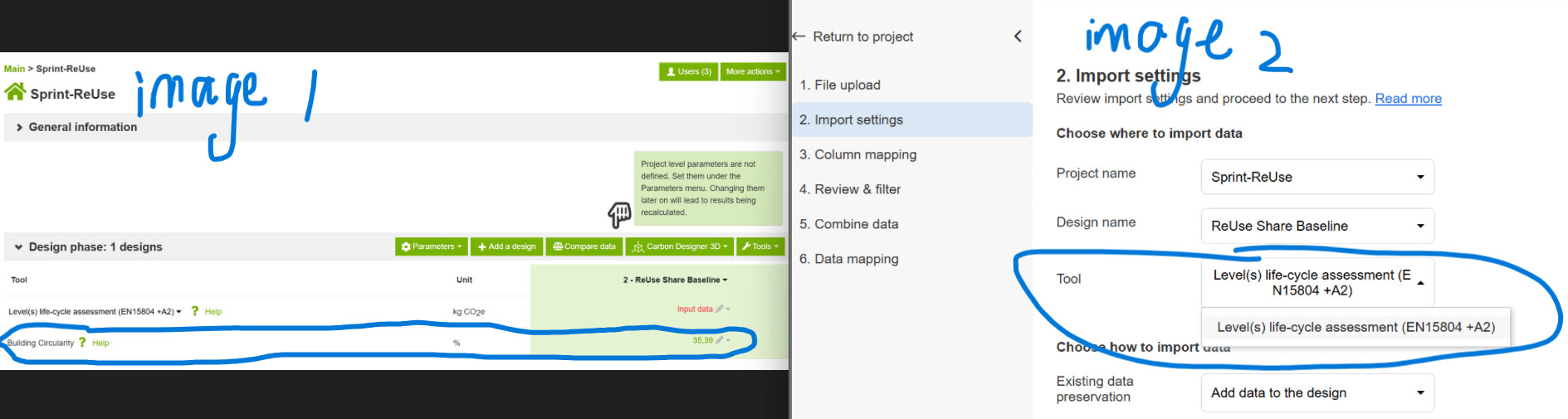
I have activated 2 tools for the calculation of my projects, one is Levels, another is Building Circularity. Both tools are visible on the project setting page(as shown in image 1). After I imported my model through IFC Viewer, in the “import setting(as shown in image 2)“, I want to select the Building Circularity tool, however, in the drop-down menu I cannot find the Building Circularity tool.
What is the problem and how can I solve that.